
Re: [RPPTL-constructionlaw] Too many RPPTL emails?

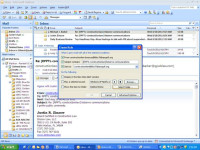
As per my prior e-mail, I recommend a minor modification to Randall's
instructions: under step 3), don't check the first 2 boxes. Clicking
the second one will cause the Rule to only trap e-mails over the list
with that specific phrase in the Subject line (in Randall's example,
Subject lines containing the phrase "listserve communications").
Checking the third box effectively takes care of the first one (the
fewer conditions you require, the more mail is trapped = good thing).
Bryan Capps
From: constructionlaw-bounces@lists.flabarrpptl.org
[mailto:constructionlaw-bounces@lists.flabarrpptl.org] On Behalf Of
Randall Gilbert
Sent: Wednesday, August 10, 2011 10:08 AM
To: RPPTL constructionlaw
Subject: Re: [RPPTL-constructionlaw] Too many RPPTL emails?
Okay, I am going to be the lone individual who says there are just too
many emails. And yes I am all for advancement, but I don't know when
this group turned into facebook (by the way I just ate my breakfast, and
I will be posting pictures of where I am every 1/2 hour from now). But
here is how to control the onslaught of emails, so that they all go into
one folder (if you have OUTLOOK).
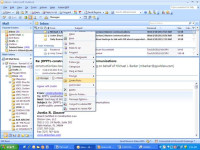
(1)Right Click on the Email from RPPTL.
(2) Click Create Rule
(3)Check first 3 boxes.
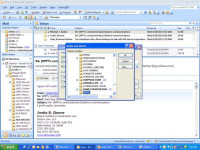
(4) Click "Select Folder"
(5) Left Click on "Inbox" (just to highlight it)
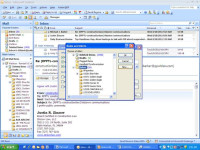
(6) Click "New"
(7) Then name the folder "RPPTL" (or whatever you want)
(8) Click "OKAY" three (3x) times
Sincerely yours,
Randall Gilbert, Esq.
Board Certified Construction Lawyer